




Google Classroom Integration with Spelling Stars
GOOGLE CLASSROOM SPELLING APP
Make weekly spelling easier with Spelling Stars and Google Classroom. Assign spelling practice, games, pretests, and tests, and sync results back to Google Classroom with just a few clicks.
Keep using your own weekly spelling lists while students learn through interactive activities. Spend less time managing student accounts, distributing assignments, and recording grades.
Google sign-in • Class roster sync • Spelling assignments • Grade sync
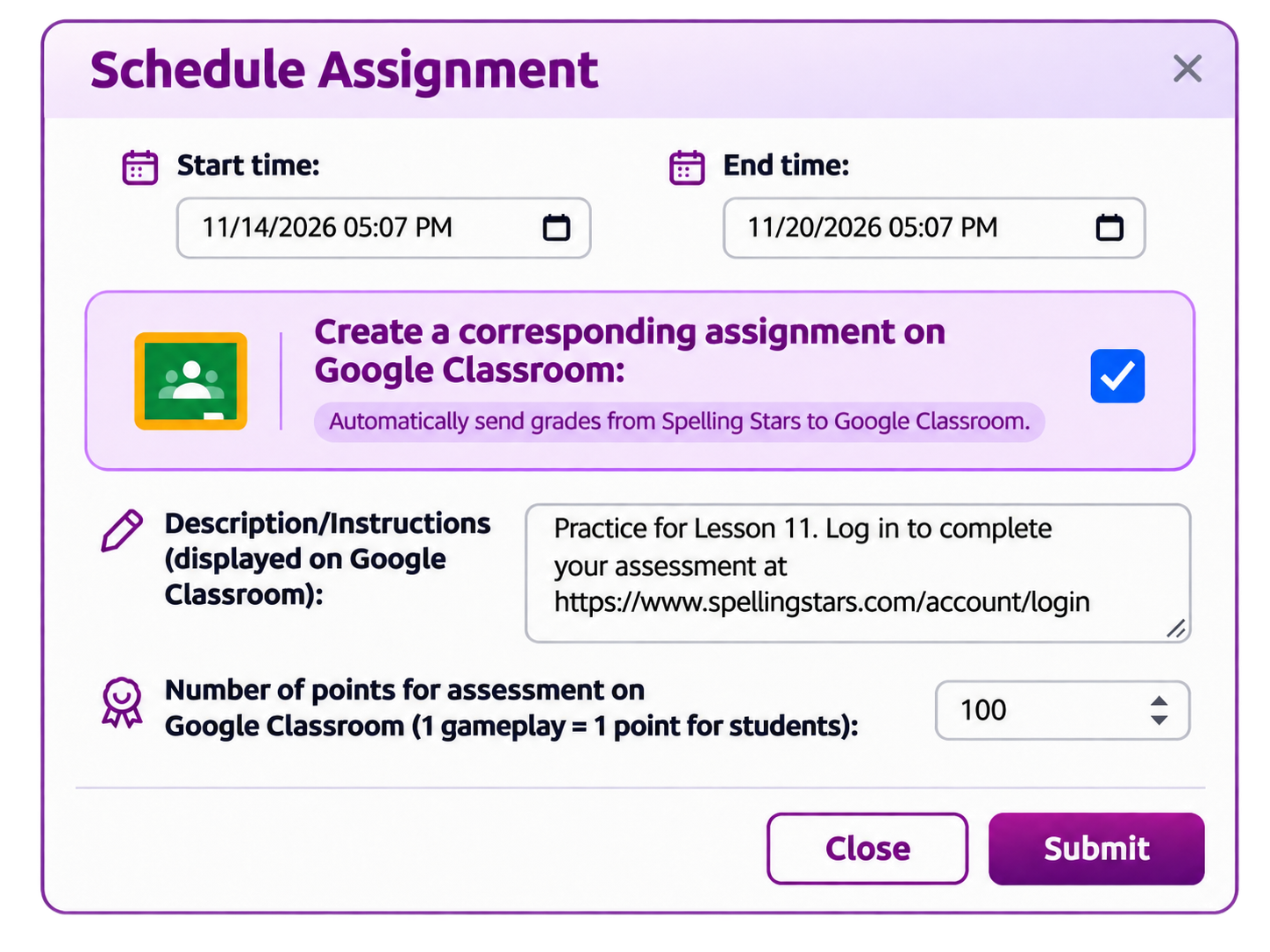
How Spelling Stars Works with Google Classroom
Connect your class once, assign weekly spelling activities and even schedule activities for future dates! Send results back to Google Classroom.
Sync Your Class Roster
Link your Google account and choose a Classroom course to import or sync your students into Spelling Stars.
Share Spelling Activities
Assign your spelling lists for online practice, spelling games, pretests, and tests. They show up in each student's To Do List.
Send Results Back
Sync practice, games, pretests, and spelling test results to Google Classroom, reducing manual grade entry and saving you time.
Google Classroom Spelling Assignments Made Easier
Import and Sync Your Students
Bring your Google Classroom roster into Spelling Stars instead of entering every student manually. Keep your class connected as you manage spelling assignments.
Your Lists, Multiple Activities
Create your own weekly spelling lists or use and customize available lists. Assign the same words across spelling practice, games, pretests, and tests.
Sync Practice, Games, Pretests & Tests
Send results for all four activity types to Google Classroom. Keep scores and completed spelling work together with the rest of your classroom assignments.
Sign In with Google
Students can use their connected Google accounts to access assigned spelling activities and work at school or at home. Once you've rostered your students, they are registered and can log in with their Google user ID and password.
For Teachers: Organize Your Spelling Week
Assign spelling practice and games to reinforce words before test day. Use pretests to check readiness and online spelling tests to measure progress, with results available to sync to Google Classroom.
Spelling Stars also provides students with reports and a trophy case for practice and gameplay.
For Students: One Familiar Sign-In
Students sign in with Google to complete the spelling work you assign. Practice, games, pretests, and tests give them different ways to study the words on your classroom lists.
Assignments are available online, making it easy to continue spelling work beyond the classroom.
How to Set Up Google Classroom with Spelling Stars
- Prepare your course: Create or choose a Google Classroom course, and invite students or share its class code.
- Connect your account: Register or sign in to Spelling Stars using Google.
- Create your spelling lists: Go to Manage Lists to create or copy spelling lists.
- Import your students: Open Students > View/Add/Edit/Delete Students, choose Import or Sync Students with Google Classroom, and select your course.
- Assign spelling work: Open Assign Lists and choose practice, games, pretests, and tests for your students.
- Sync results: After students complete an assignment, use the appropriate Spelling Stars reports to sync practice, game, pretest, and test results to Google Classroom.
Your connected Google Classroom course is where you manage the corresponding assignments and grades.
Frequently Asked Questions About Google Classroom and Spelling Stars
Does Spelling Stars work with Google Classroom?
Can I sync spelling practice and game results to Google Classroom?
Can I assign spelling pretests and tests through Google Classroom?
Do I need to enter all of my students again?
Can students sign in with their Google accounts?
Can I use my own weekly spelling lists?
Connect Google Classroom and save time!
Import students, assign engaging spelling activities, and sync practice, game, pretest, and test results without extra grade entry.
Start Free 7-Day Trial Log In